
HRM & Payroll Management System Mobile App User Guide
This guide helps you navigate the HR and workforce management features. From employee onboarding to payroll and attendance, manage your entire team efficiently from your mobile device.
Quick Access to Features
App Screens & Onboarding
The onboarding screens introduce the core functionalities of WorkZen, guiding new users through its key benefits.
Onboarding Walkthrough
The initial splash screens highlight the main features of the app:
- Manage Your Workforce: Access employee details, manage schedules, and track performance on the go.
- Track Attendance: Check attendance records, approve requests, and stay updated with real-time data.
- Instant Communication: Connect with team members instantly with in-app messaging and announcements.
- Efficient Leave Management: Simplify leave requests, approvals, and track employee availability.
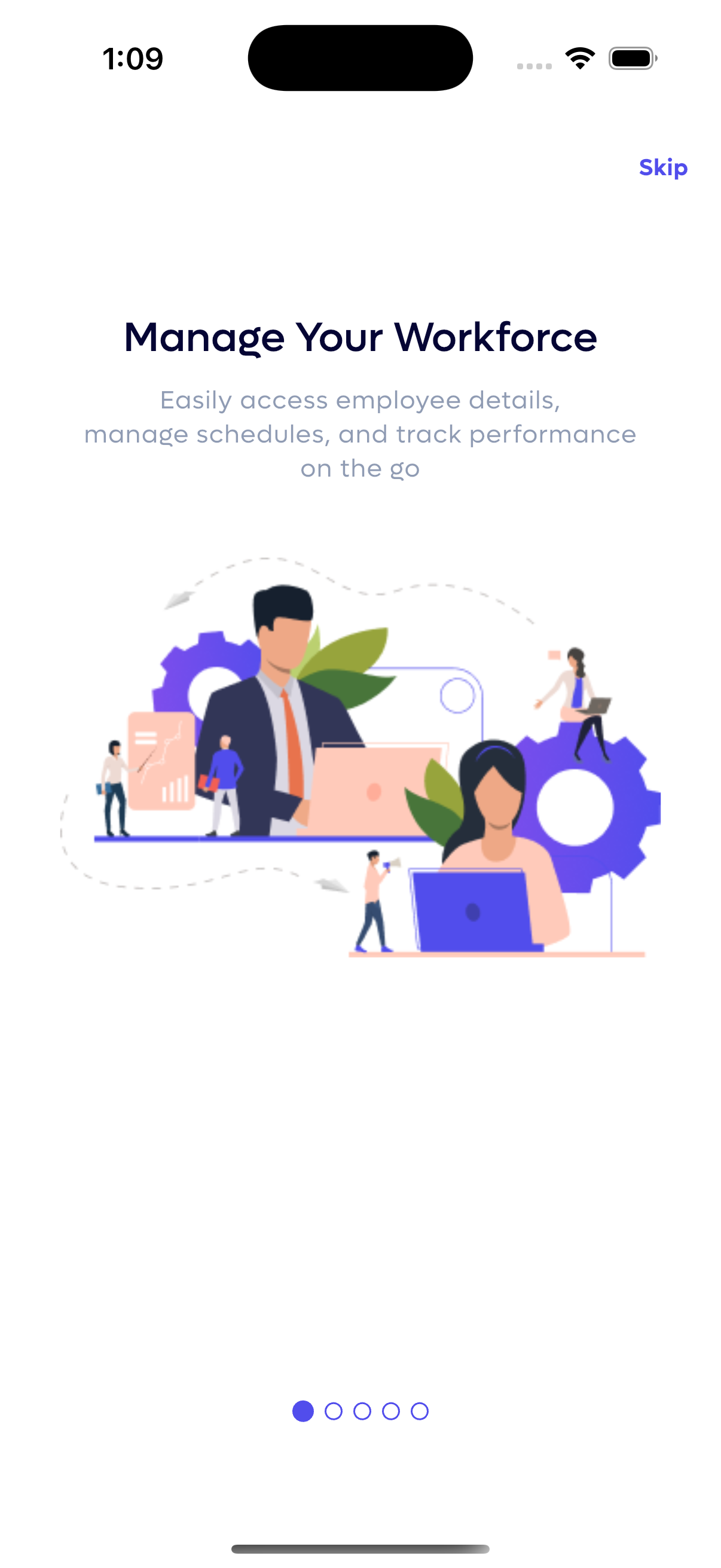
1. Workforce Management Overview
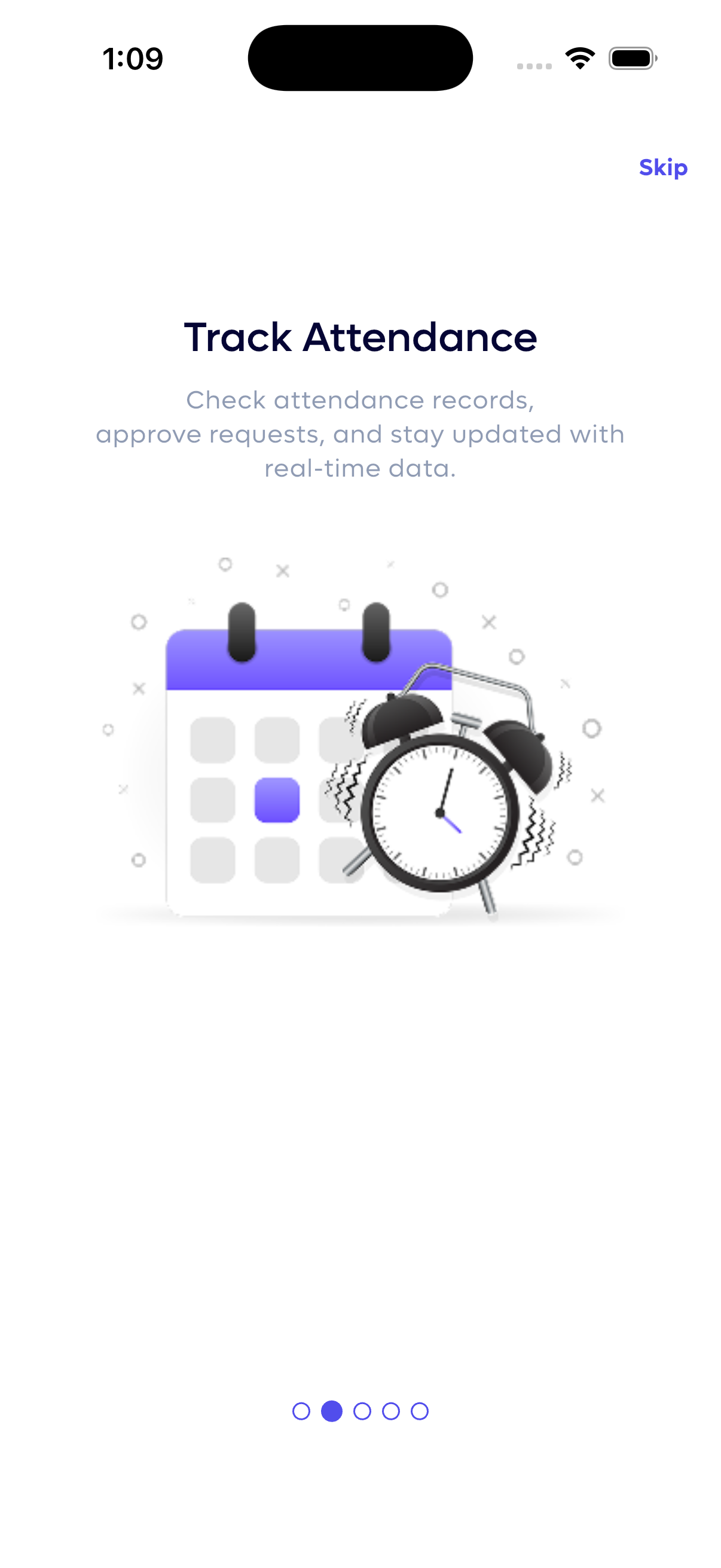
2. Attendance Tracking Features
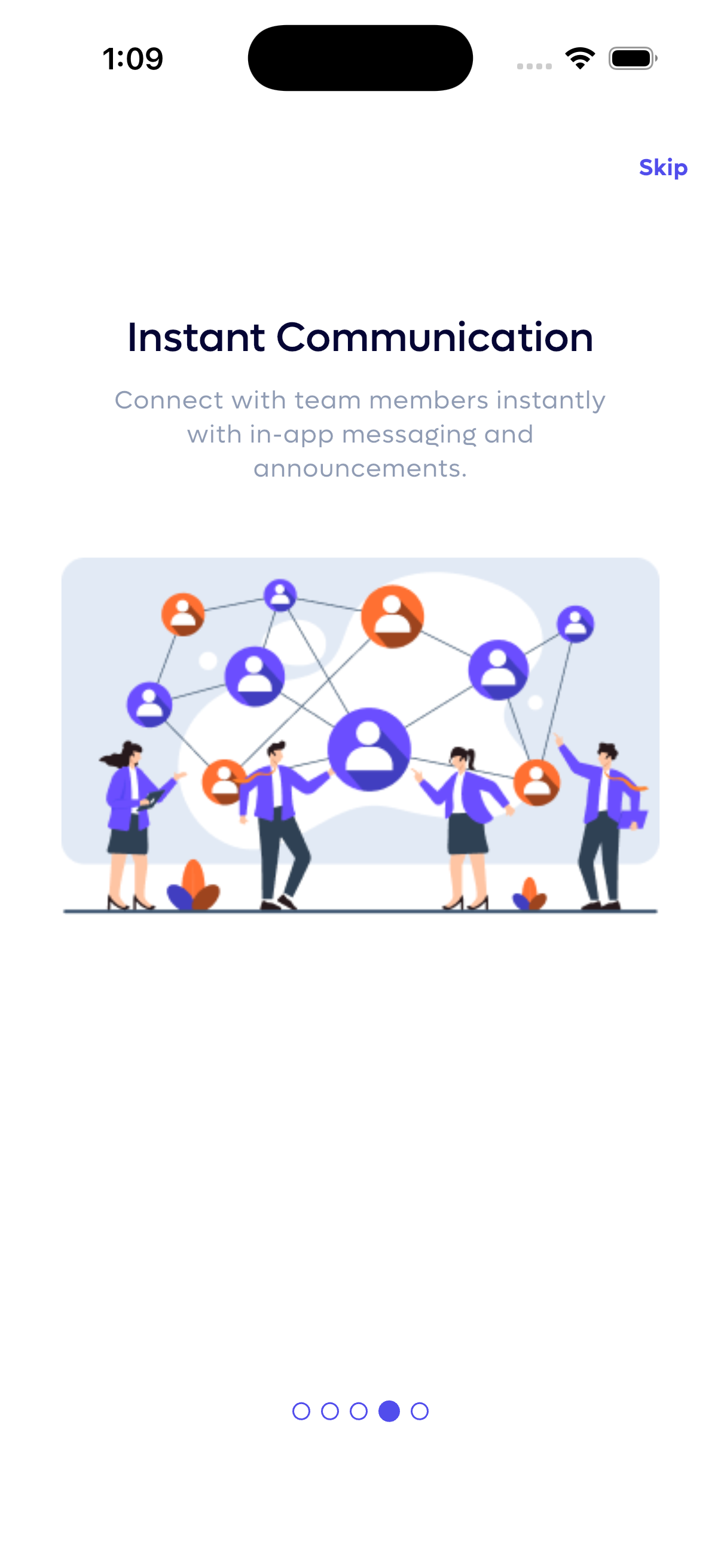
3. Instant Communication
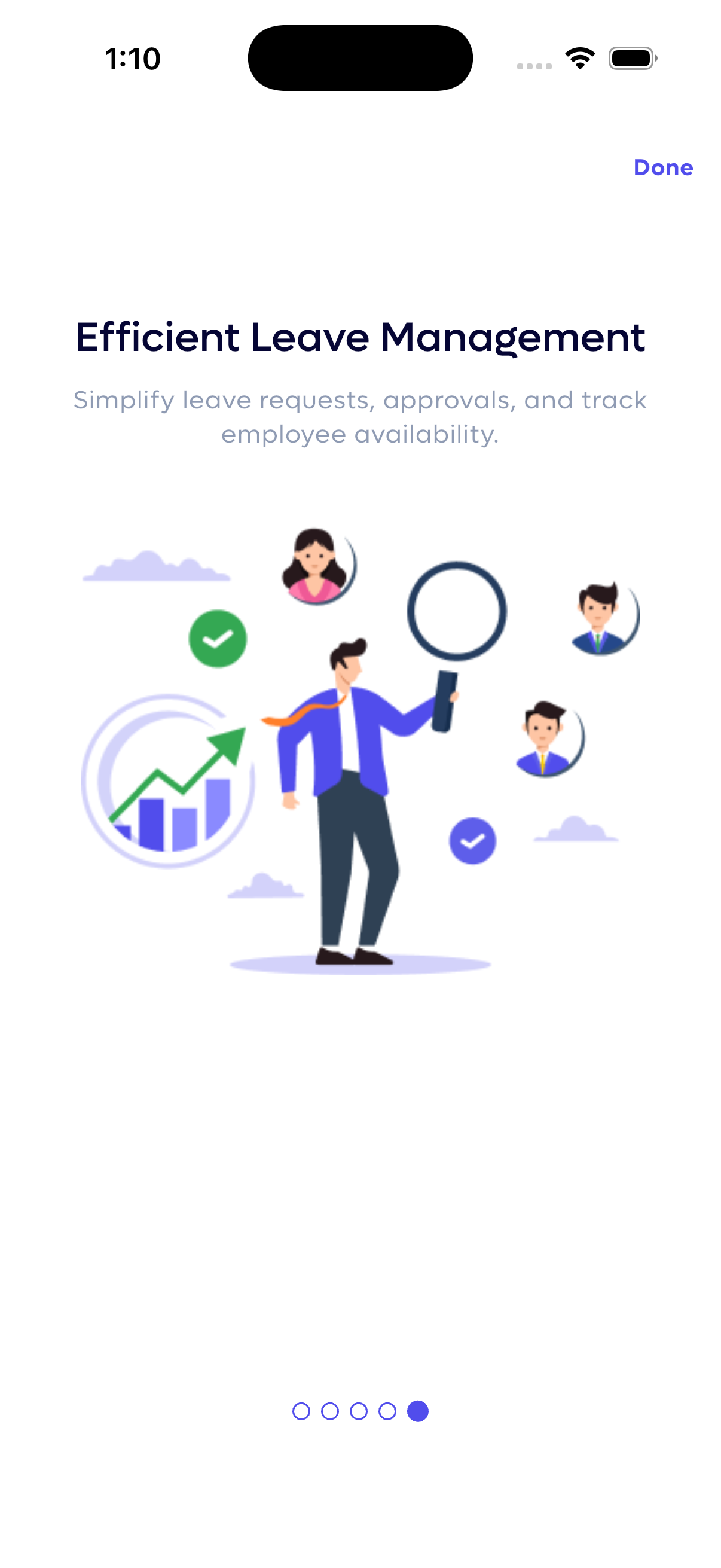
4. Leave Management
Authentication & Security
Secure access to your WorkZen account with multiple layers of security, including email/password and biometric login.
Login
Standard secure access to your WorkZen account:
- Email & Password: Enter your registered credentials.
- Forget Password? Link to recover your account.
- Biometric Login: Quick and secure access using your device's fingerprint sensor.
Setup Biometric Login
Enable fingerprint login for faster, more secure access:
- Navigate to the Biometric Login option.
- Enter your email and password one more time to verify your identity.
- Tap "Setup" to enable biometric authentication for future logins.
Biometric login adds a layer of security and convenience, ensuring only you can access your account on that device.
Forgot Password
Recover access to your account quickly and securely:
- Click "Forget Password?" on the login screen.
- Enter your registered email address.
- Click "Reset Password" to receive a verification code via email.
- Follow the instructions in the email to set a new password.
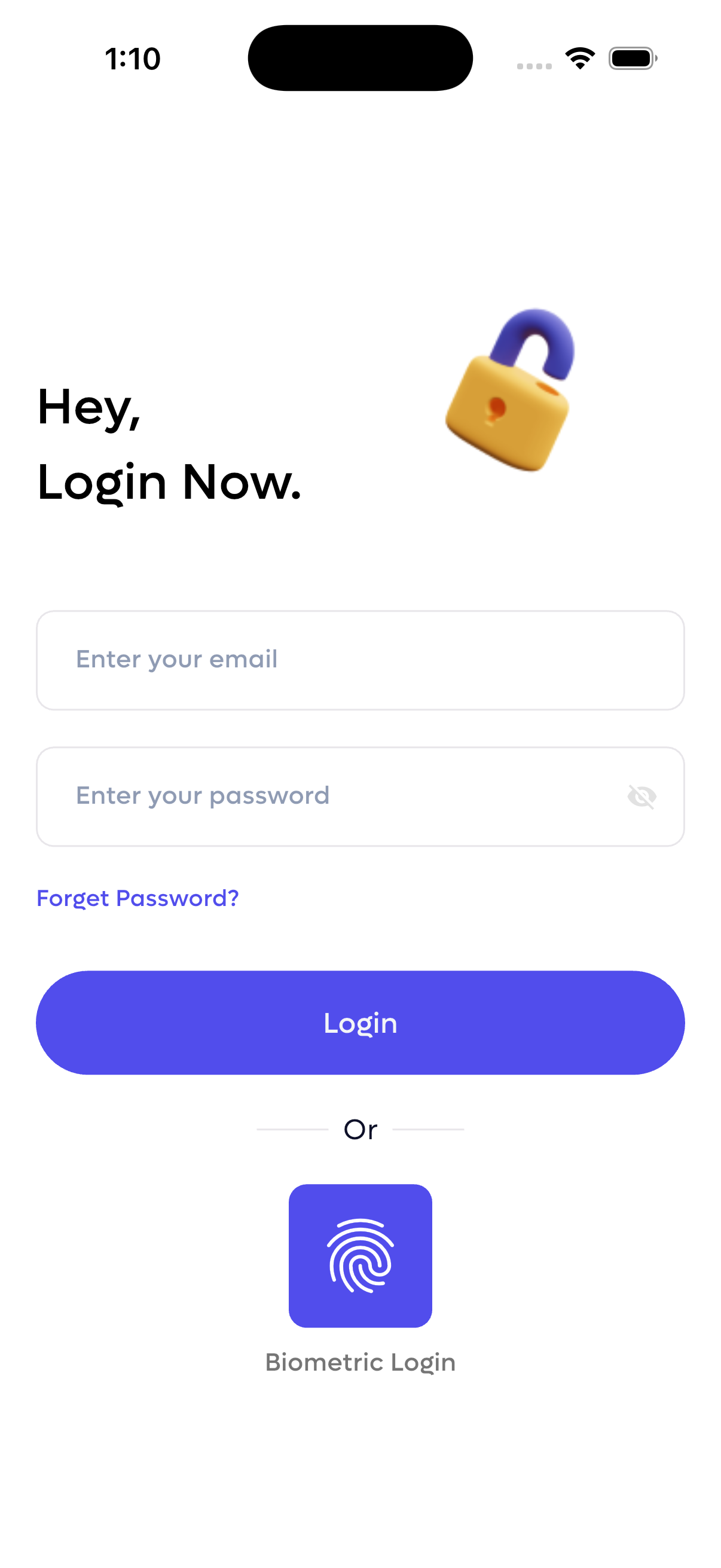
Login screen with email, password, and biometric option.
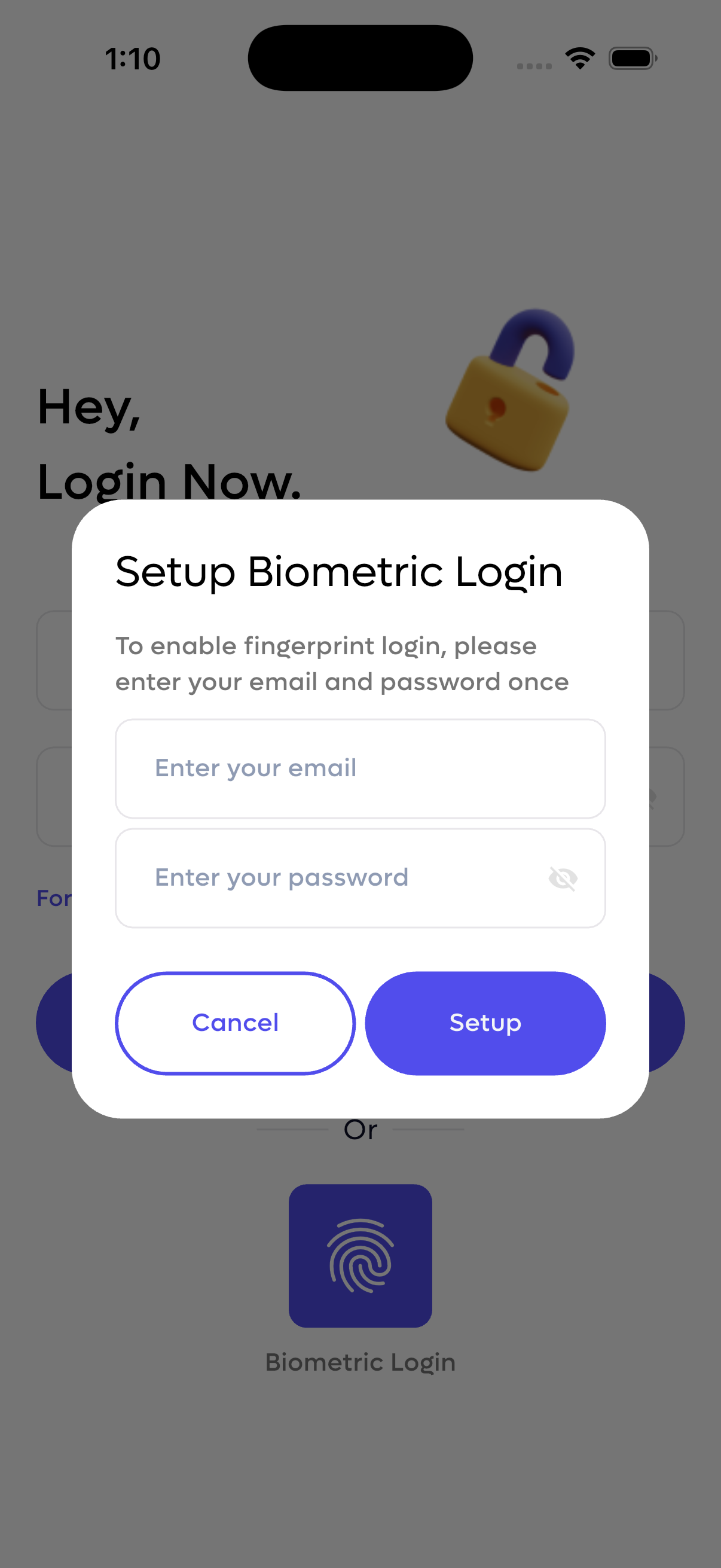
Setup biometric login with email/password verification.
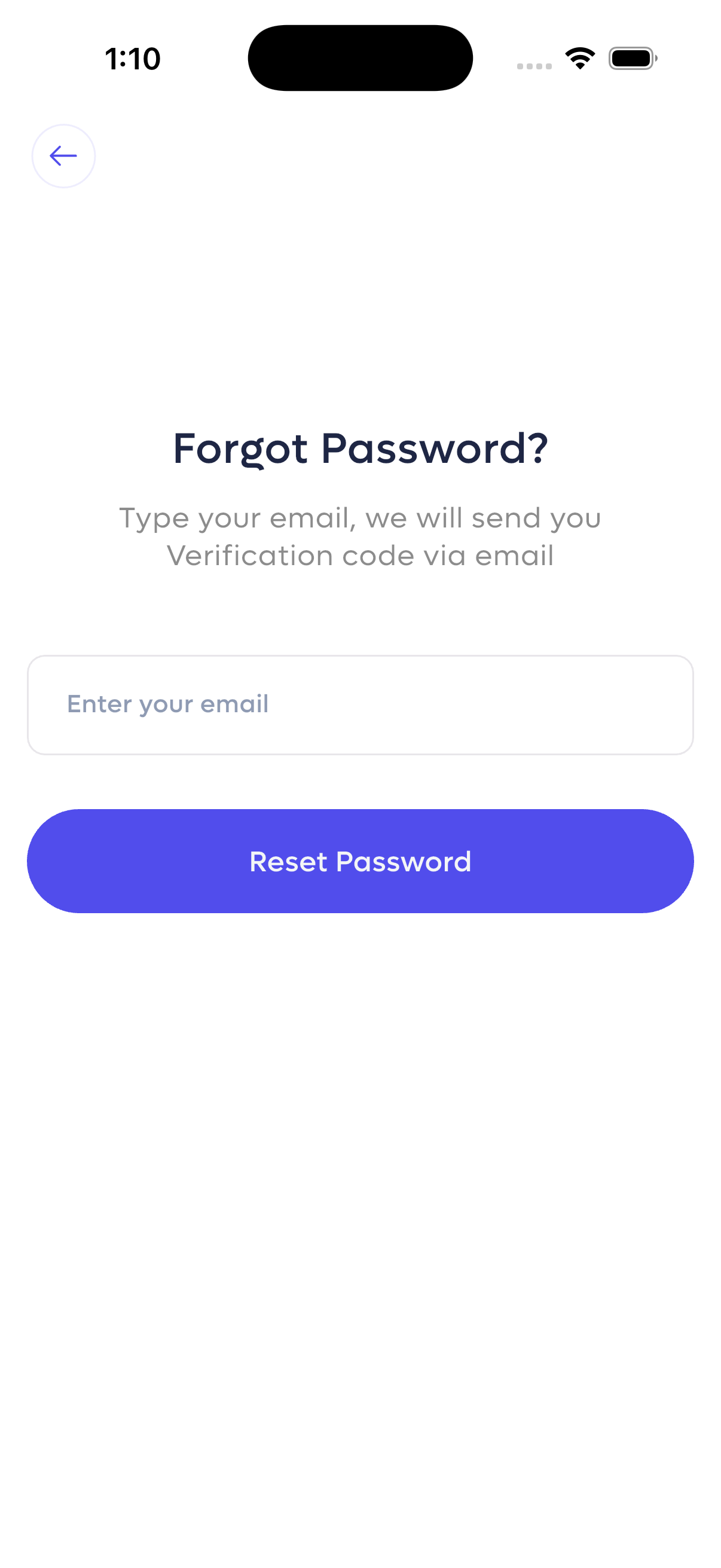
Password recovery email request form.
Employee Dashboard
The Employee Dashboard provides a personalized view of your daily schedule, attendance status, and quick access to essential tasks.
Daily Overview
- Personalized Greeting: "Good afternoon! Alice" with a motivational message.
- Monthly Attendance Summary: Quick stats on Early, Late, and Regular days for the selected month (Mar 2026).
- Current Date: Displays the current day and date for easy reference.
Attendance & Time Tracking
Real-time tracking of your work schedule:
- Actual Check In: Shows your check-in time with status indicator (e.g., "Late").
- Break Tracking: "Click to start break" button with schedule for end break time.
- Check Out Schedule: Displays scheduled check-out time and actual status.
- Overtime: Running total of overtime minutes accumulated.
Quick Navigation
Bottom menu bar provides access to key sections:
- Overview: Return to the main dashboard.
- Leave: View and manage leave requests.
- Event: Check company events.
- Holiday: View upcoming holidays.
- Menu: Access additional app features and settings.
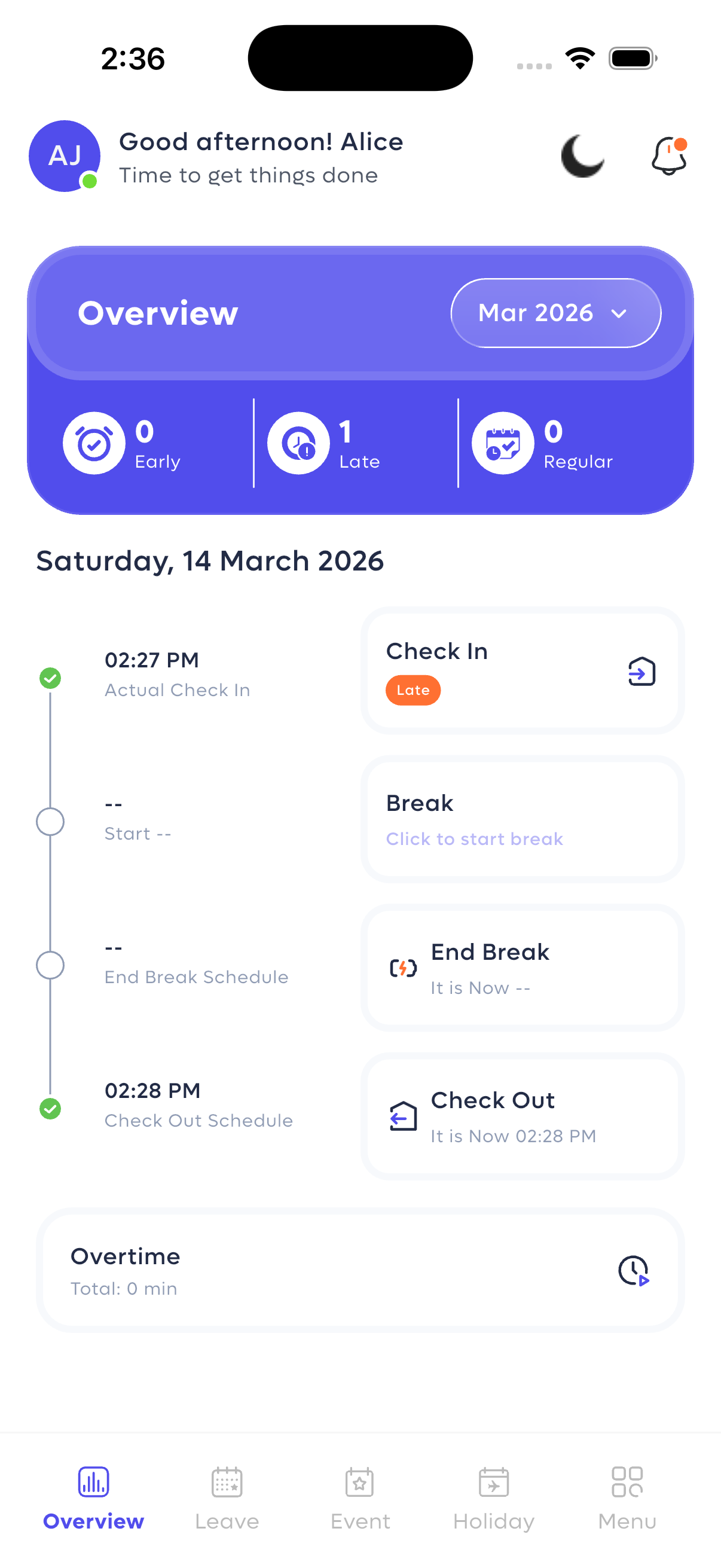
Employee dashboard with attendance tracking and daily overview.
Use the break tracker to ensure accurate time logging. The dashboard updates in real-time, so you always have the most current attendance status.
Admin Dashboard Overview
The Dashboard provides administrators with a real-time snapshot of key workforce metrics and quick access to core modules.
Key HR Metrics
- Employee Attendance: Track daily attendance with percentage change indicators.
- Overtime: Monitor total overtime hours and trends.
- Employee Late: Keep an eye on late arrivals and their rate of change.
- Employment Status: View a breakdown of total employees and their status (e.g., active, probation).
- Quick Access Tabs: Switch easily between "Leave Management" and "Break Tracker".
- Bottom Navigation: Jump to different sections: Overview, Employee, Payroll, and Menu.
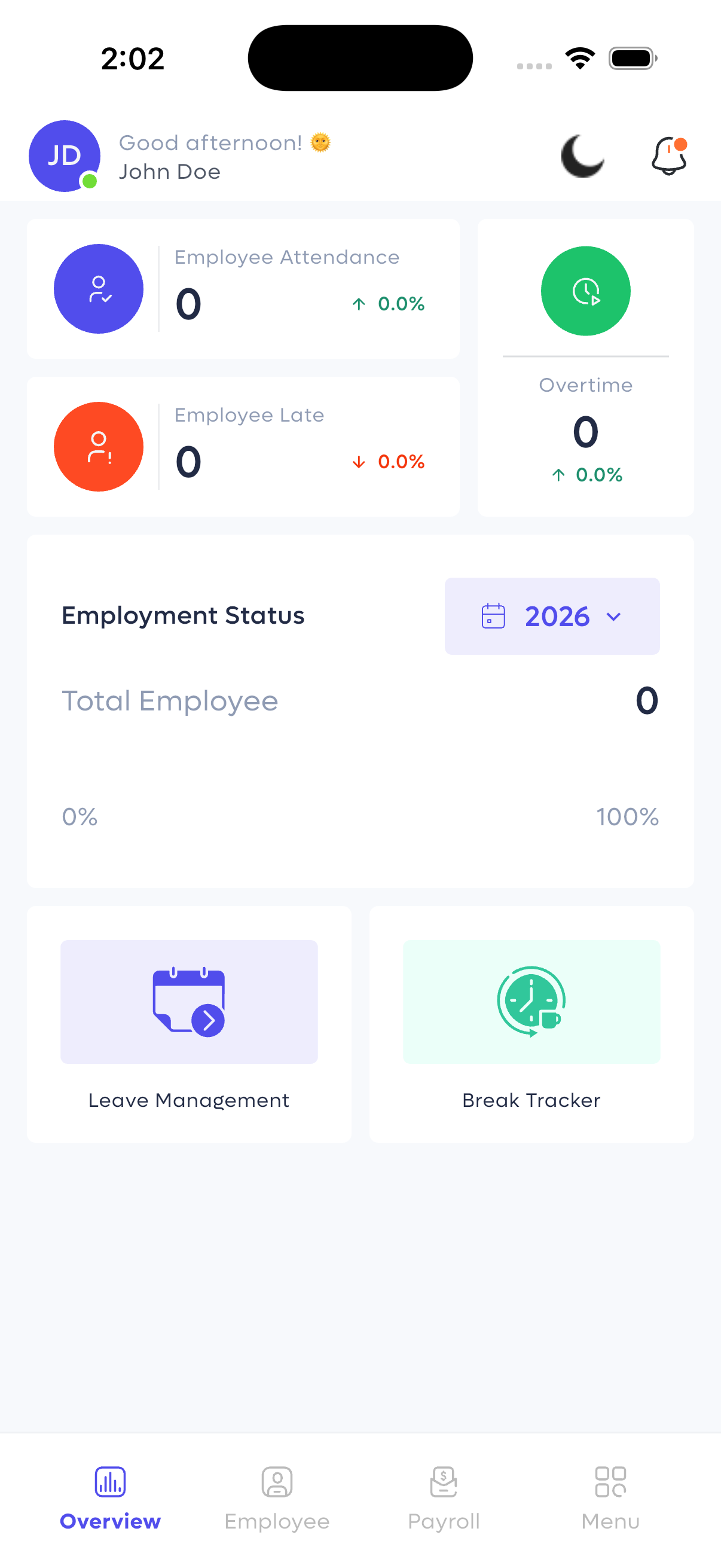
Admin dashboard with employee metrics and navigation.
Employee Management
Efficiently manage your workforce by adding new employees and viewing the complete employee directory.
Employee List
View all employees in a clear, alphabetical list:
- Visual Identification: Profile initials with color-coded backgrounds (e.g., SJ, SK, AJ).
- Key Details: Displays employee name and their designation (e.g., CEO, Head of Department).
- Search & Filter: Quickly find employees by name or department.
Add New Employee
Comprehensive form for onboarding new staff members:
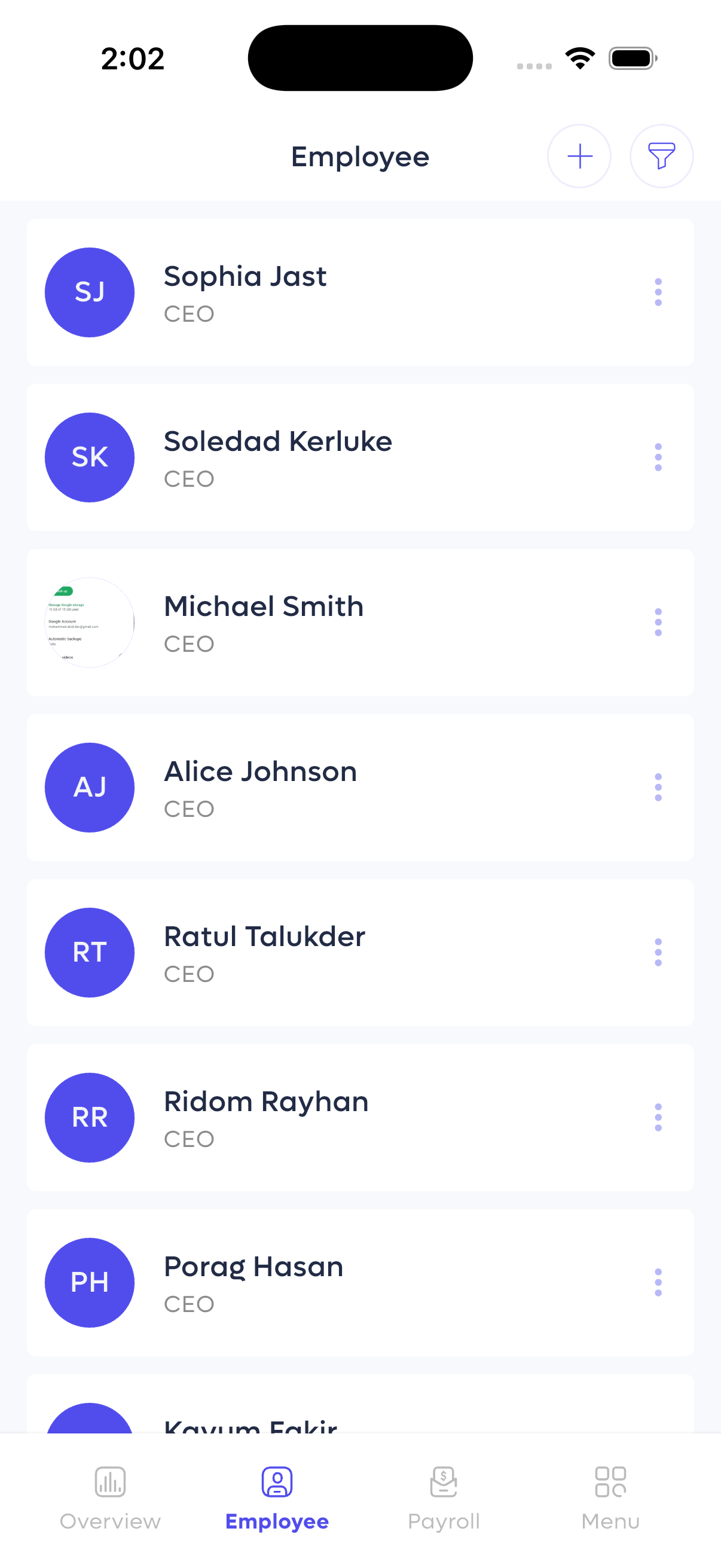
Employee directory with profile initials and designations.
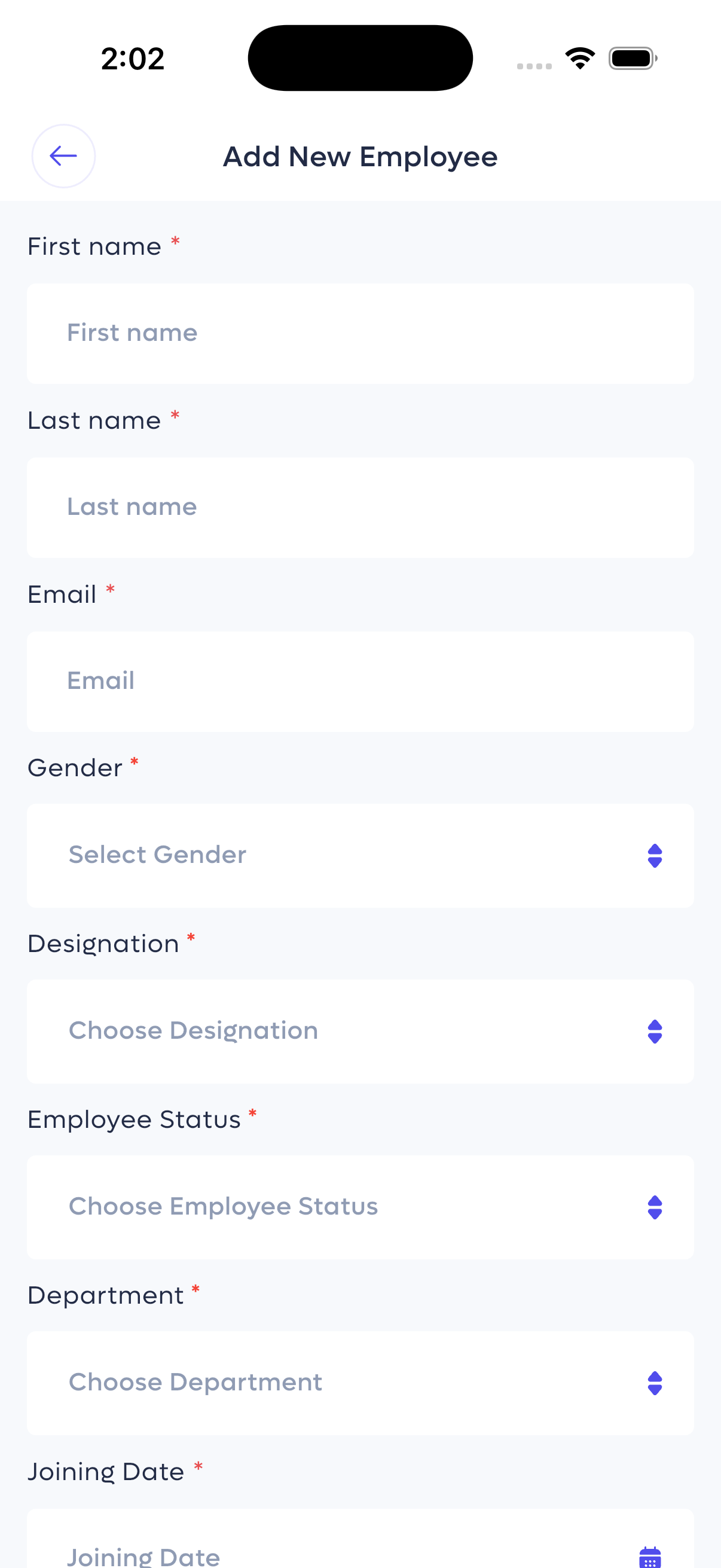
Add new employee form with all required fields.
Payroll Management
Manage payroll runs, view generated payslips, and review detailed salary breakdowns for each employee.
Payroll Overview & Payslip List
Track payroll cycles and access all generated payslips:
- Payroll Run: Identified by a unique ID (e.g., #GAKIOOQH) and creation date.
- Payslip Entries: Each entry shows employee name, status, pay period, and a summary of Basic and Net salary.
- Status Indicator: "Generated" badge confirms the payslip is ready.
Payslip Preview
Detailed view of an individual payslip, including:
- Employee Details: Name, department, designation, and address.
- Salary Breakdown: Clear table of allowances (e.g., Bonus) and deductions (e.g., Tax).
- Net Payable Salary: The final amount after all calculations.
- Summary: A quick recap of basic salary, total earnings, total deductions, and net salary.
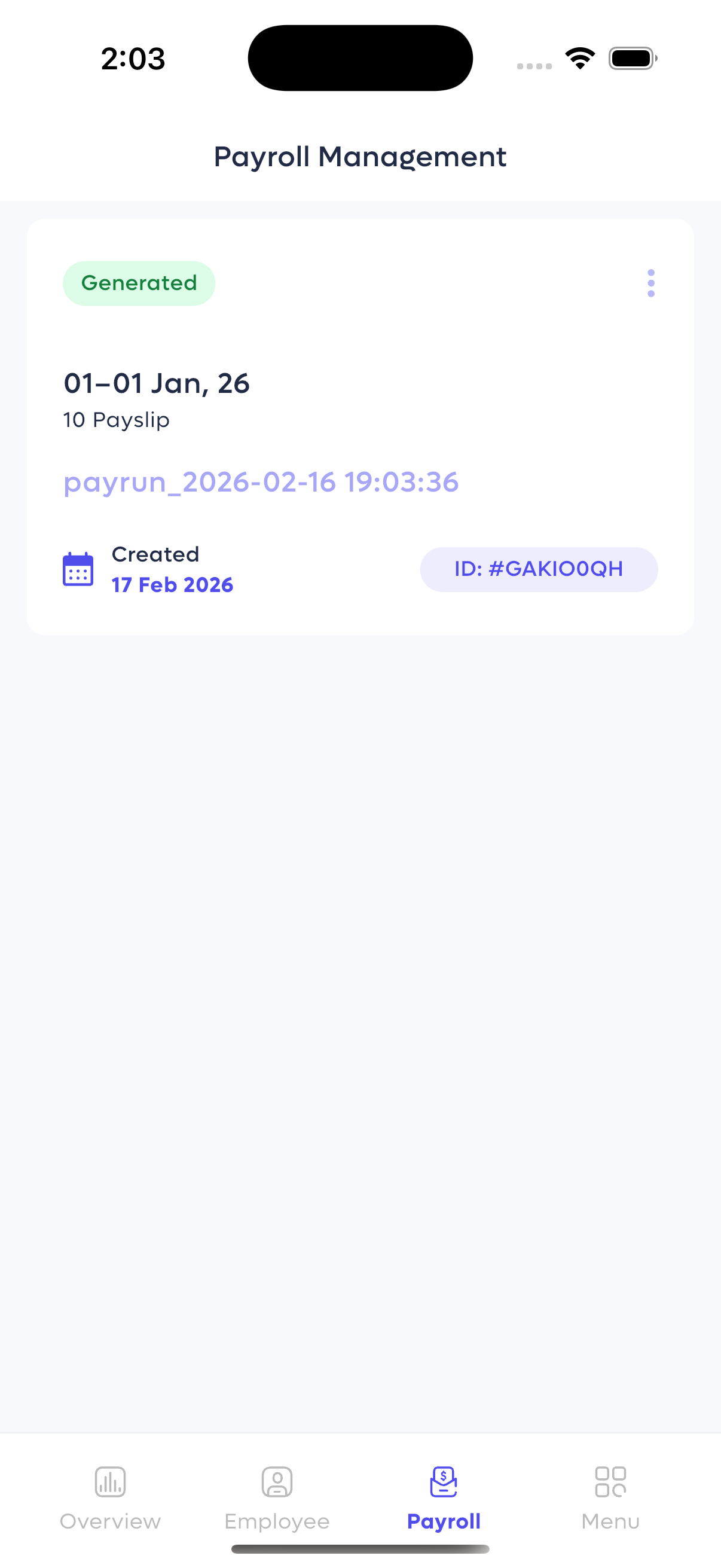
Payroll management screen showing a generated payrun.
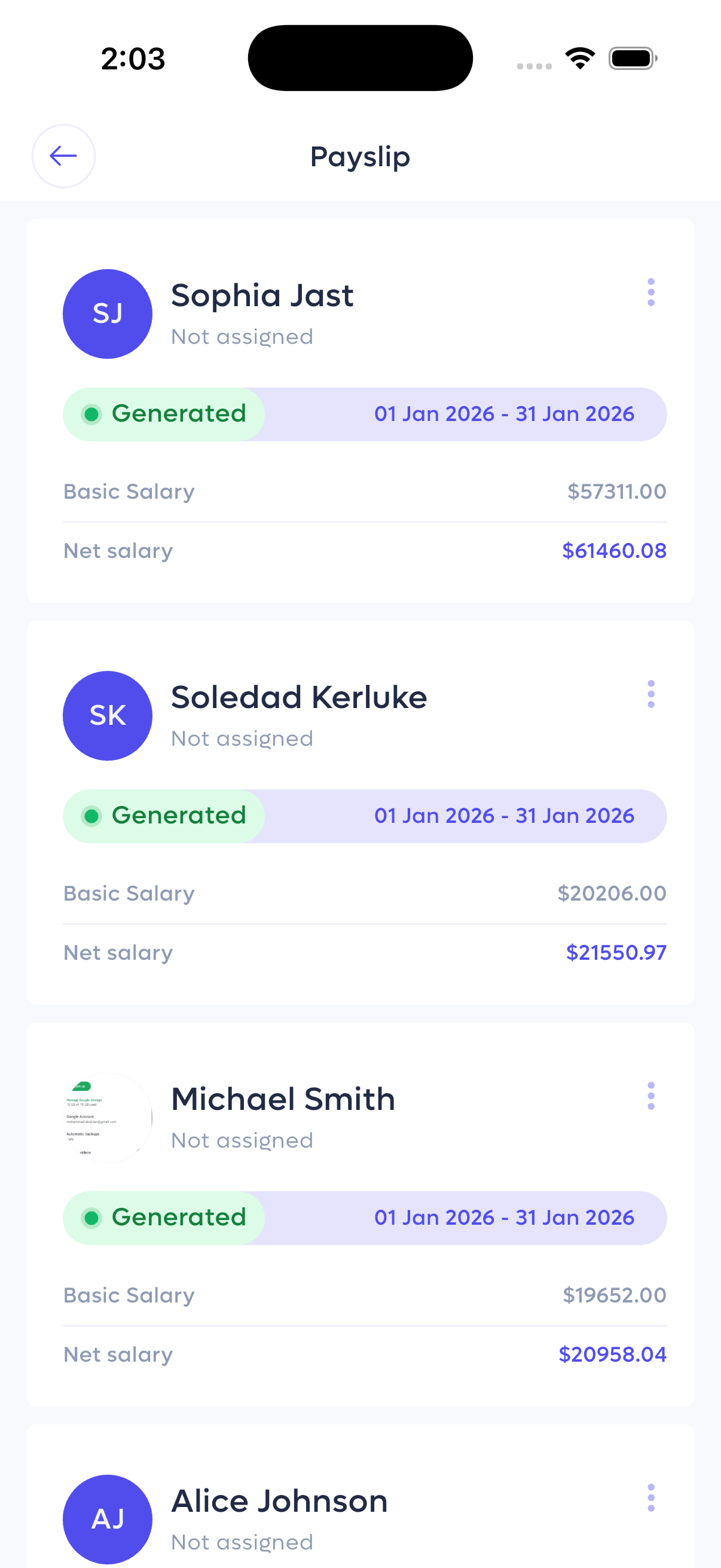
List of generated payslips for a payroll period.
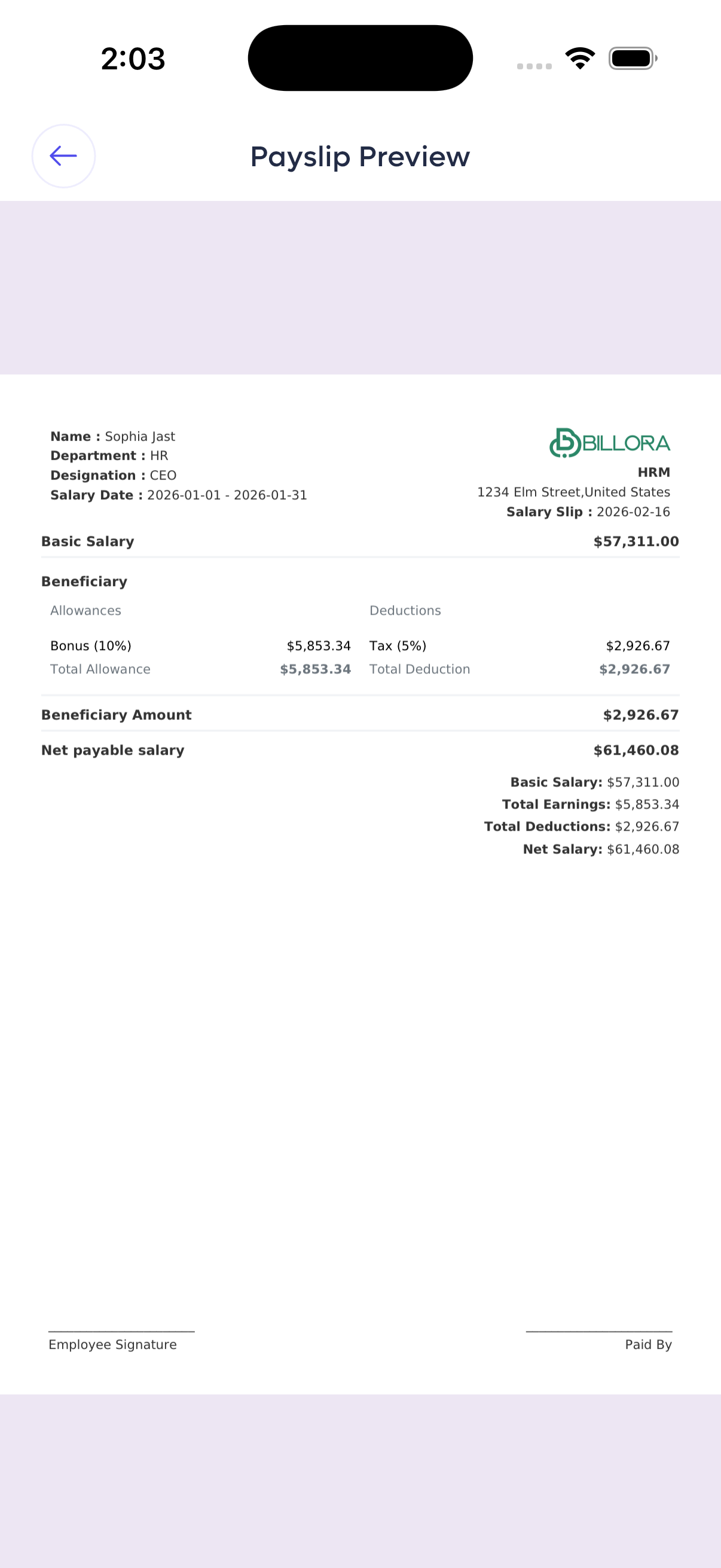
Detailed payslip preview with earnings and deductions.
Users, Departments
Manage system users, organize departments, and access key administrative functions from the sidebar menu.
Sidebar Navigation
The sidebar provides access to all administrative modules:
- Users, Departments, Attendance, Holidays, Events, Expenses, Profile, and Logout.
User Management
Control who has access to the system and their roles:
- User List: View all users with their name, email, role (Employee/Manager), designation, and creation date.
- Invite User: Send an email invitation to a new user and assign them a role (e.g., Admin, Employee).
- Update Status: Activate or inactivate users to control their access to the app.
Department Management
Organize your company structure by creating and managing departments:
- Department List: Shows department name, head of department, and number of employees.
- Add Department: Create a new department with a name, head, and contact details.
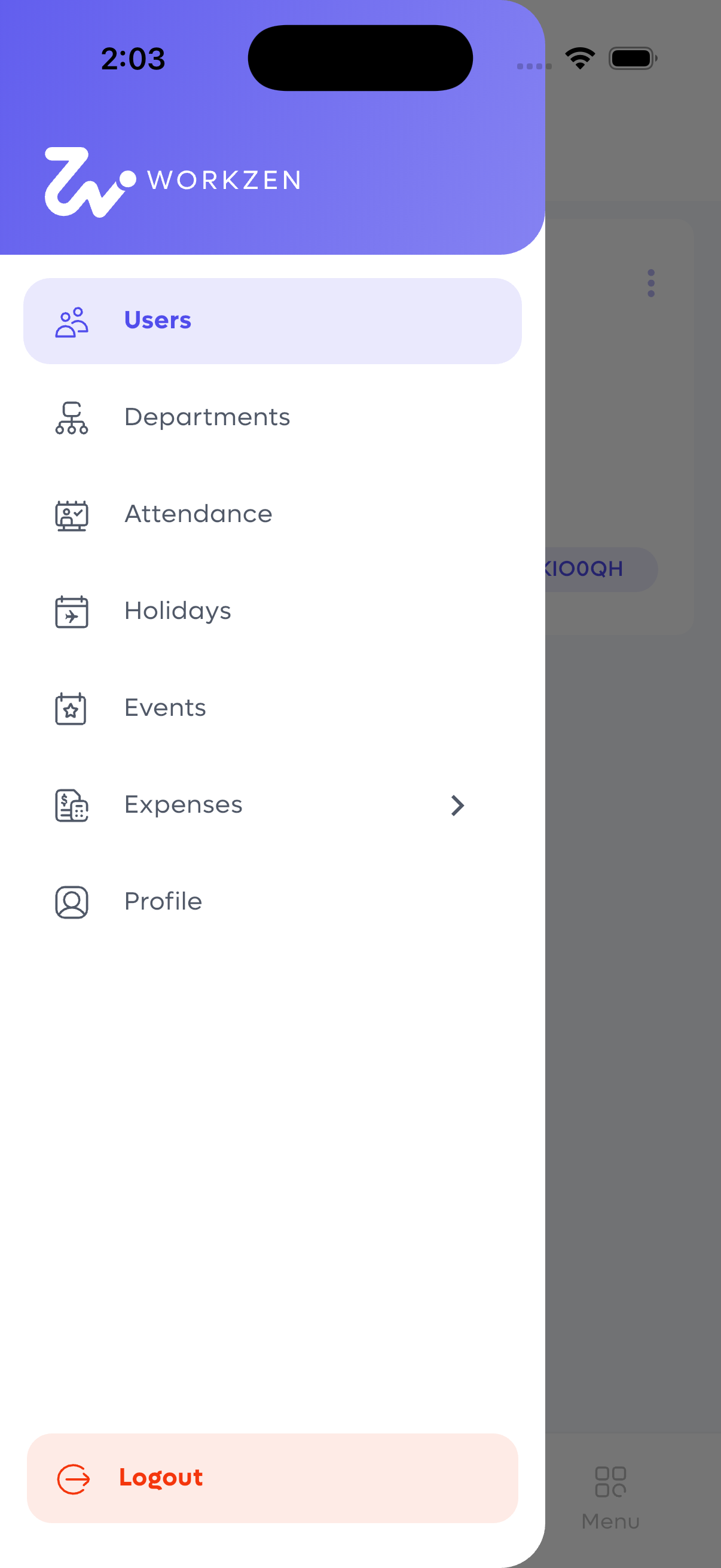
Sidebar navigation menu.
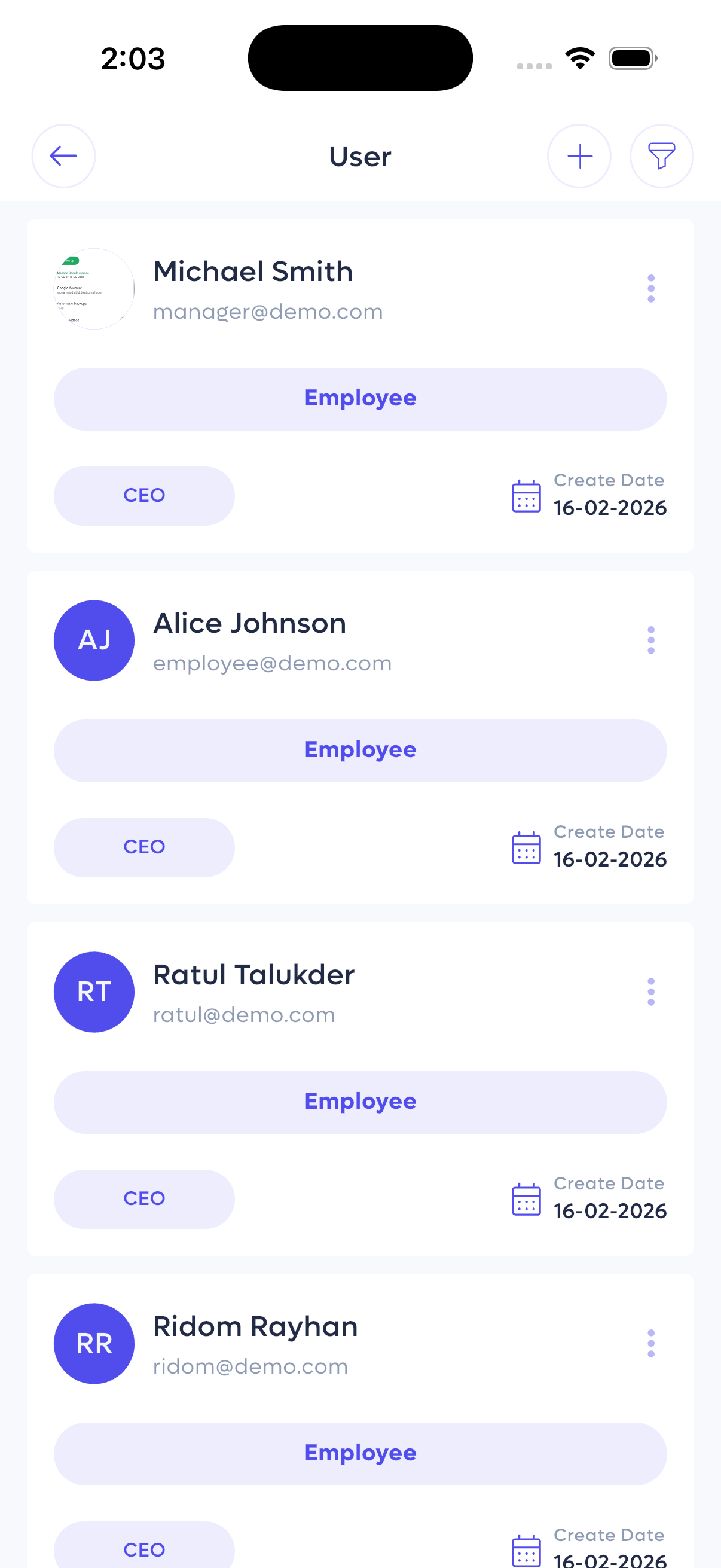
List of system users with roles and status.
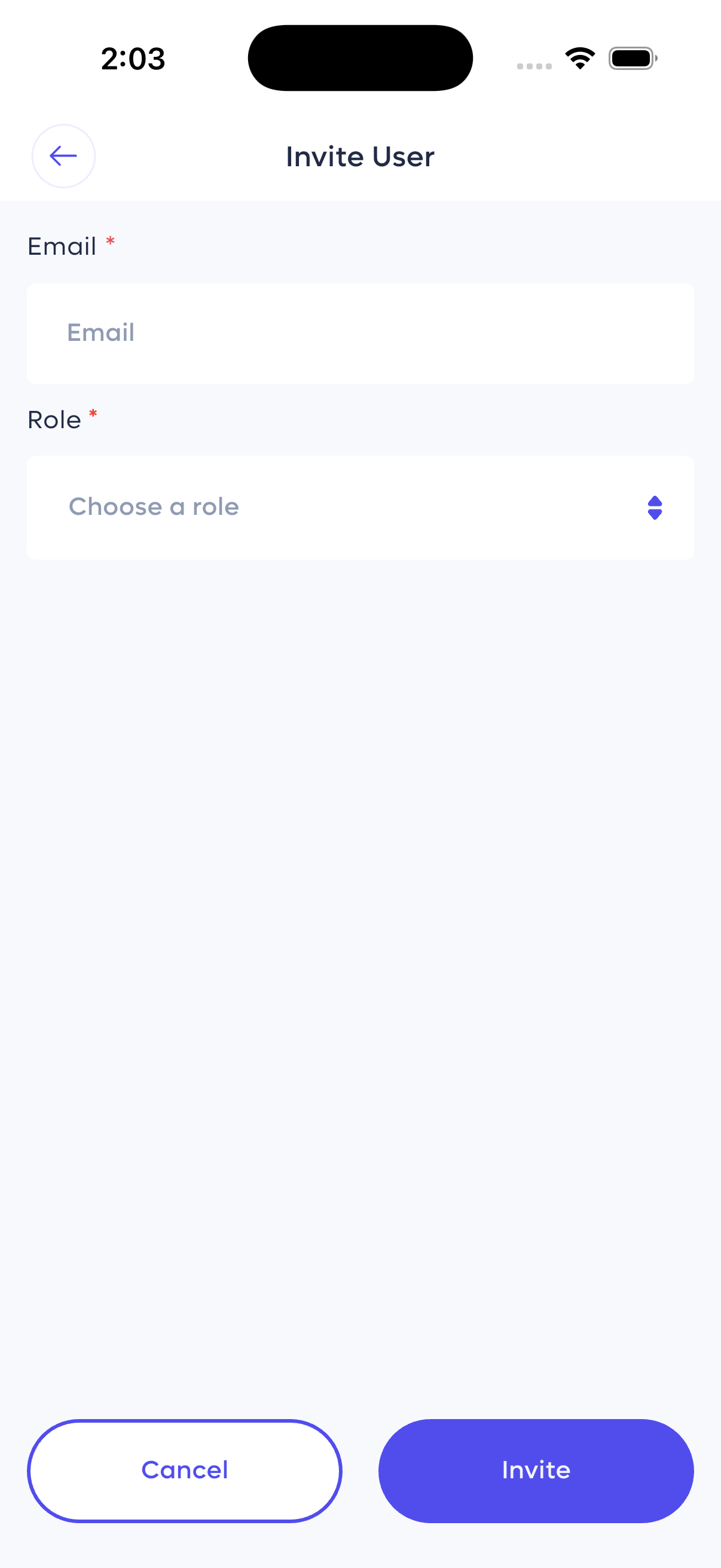
Invite a new user by email.
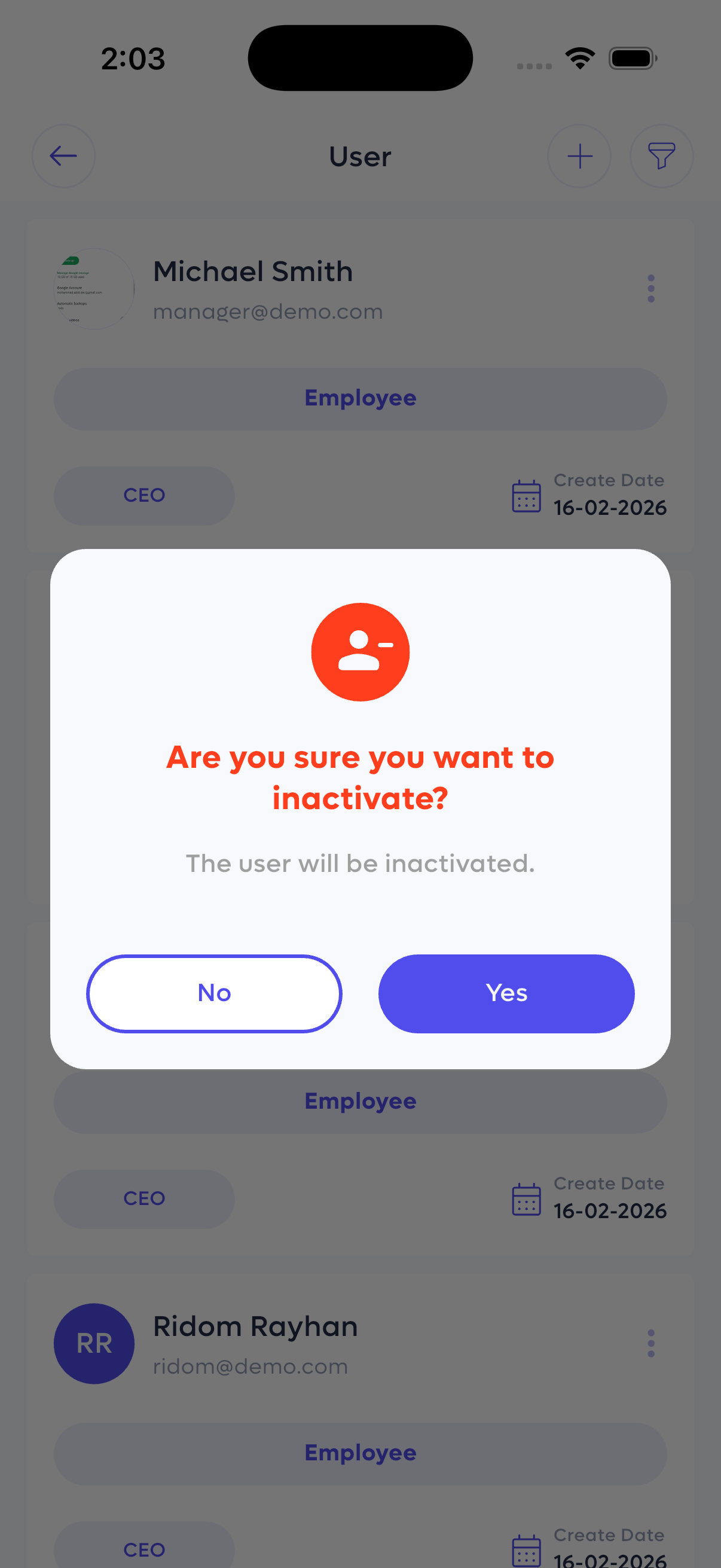
Confirming user inactivation.
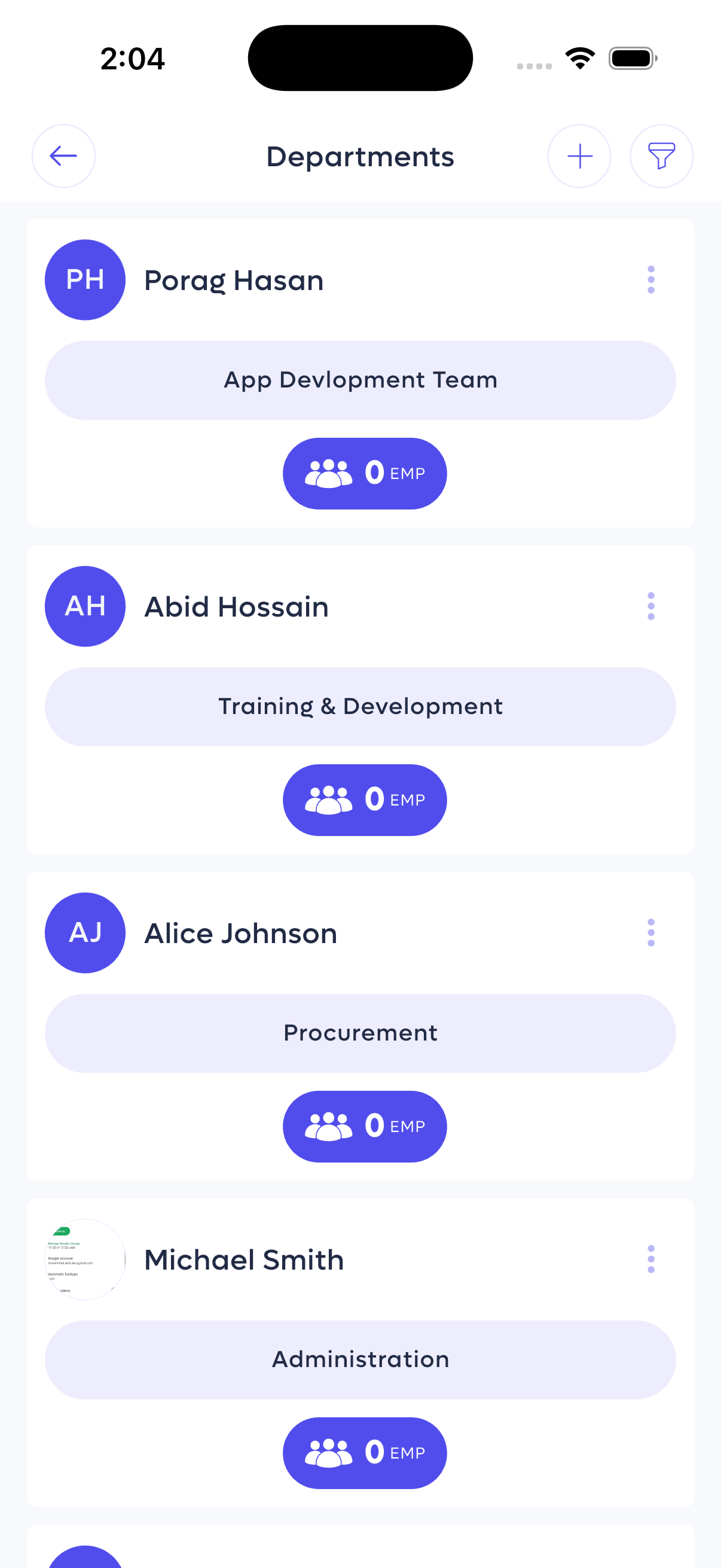
List of departments and heads.
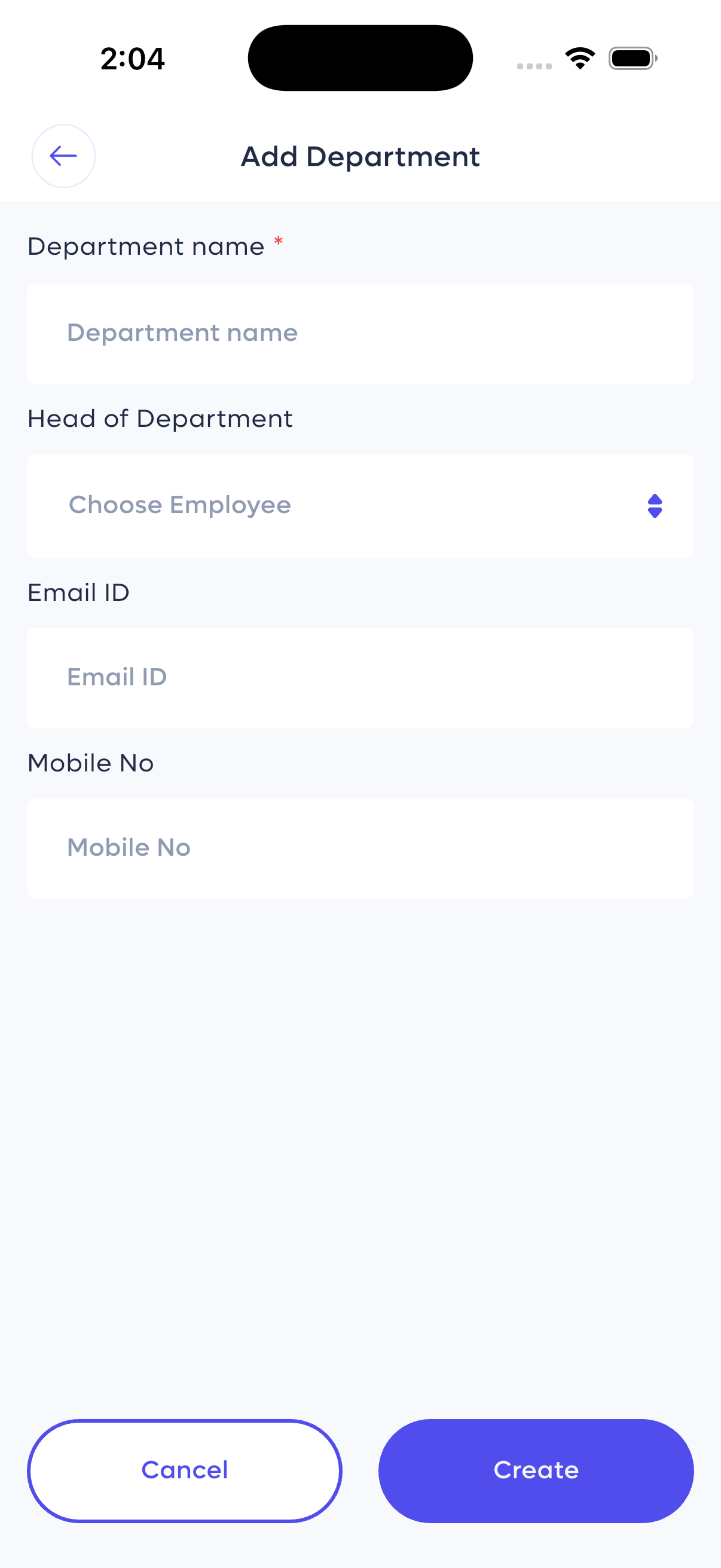
Form to add a new department.
Holidays & Company Events
Manage company-wide holidays and special events to keep everyone informed.
Holiday Management
Track and plan for public and company holidays:
- Holiday List: View all holidays with their start and end dates (e.g., Eid-Ul-Fitor, National Mourning Day).
- Add Holiday: Create a new holiday entry with name, date range, and an optional description.
Event Management
Plan and share company events:
- Event View (Calendar/Schedule): Visualize events on a calendar or a daily schedule list (e.g., "Iftar party" scheduled at 7 PM).
- Create New Event: Choose between "Solo" or "Multiple" events, assign to departments/employees, set the title, time, location, and description.
Categories
Organize events or other items by categories for easy filtering and management.
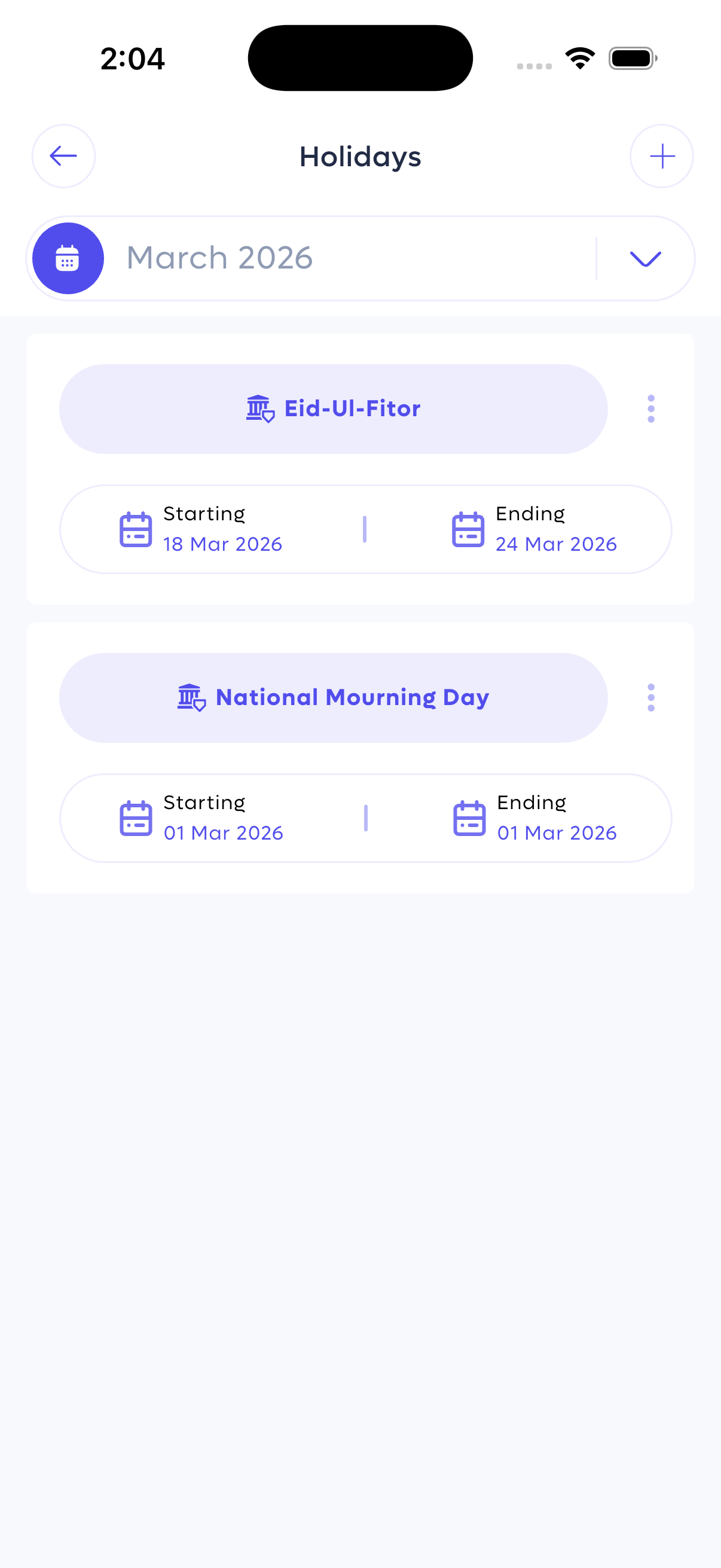
List of company holidays.
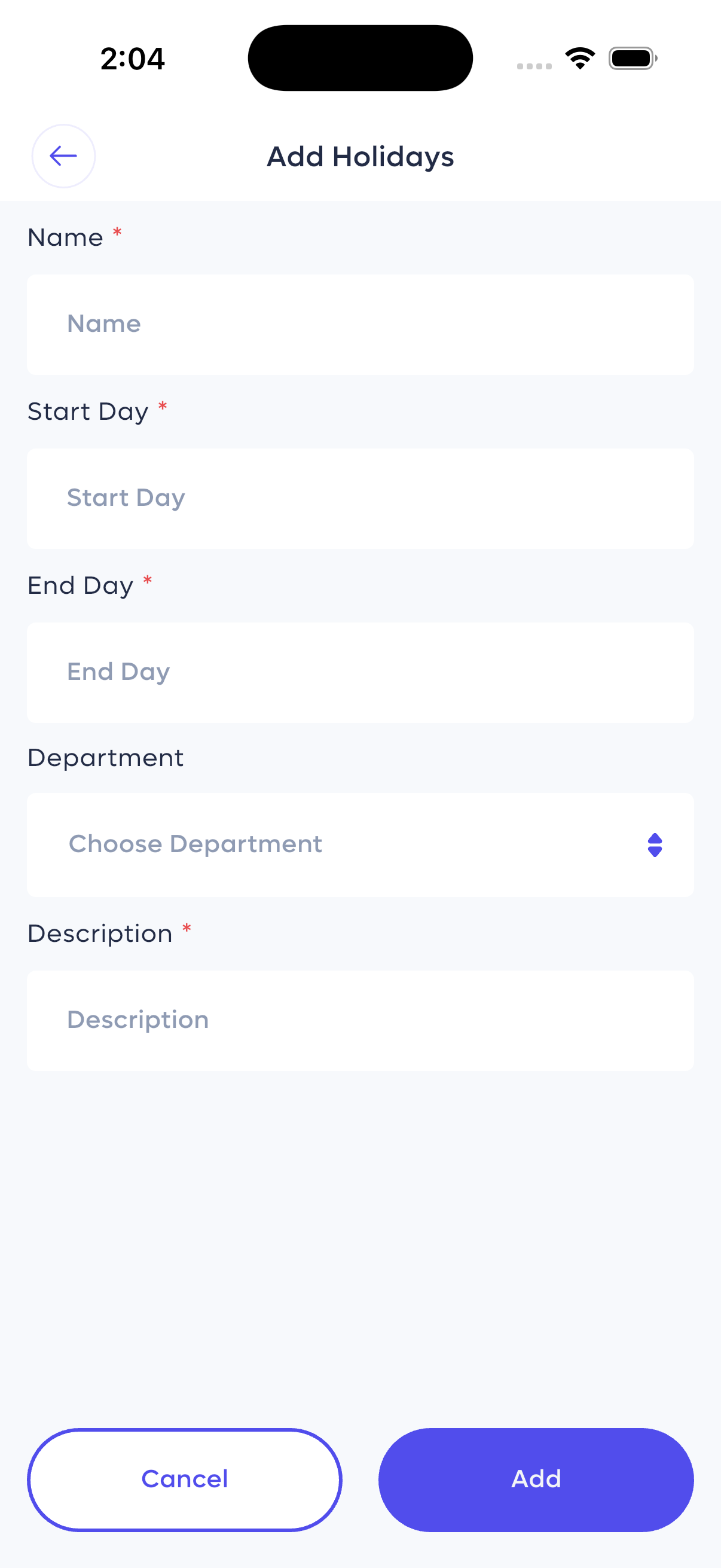
Form to add a new holiday.
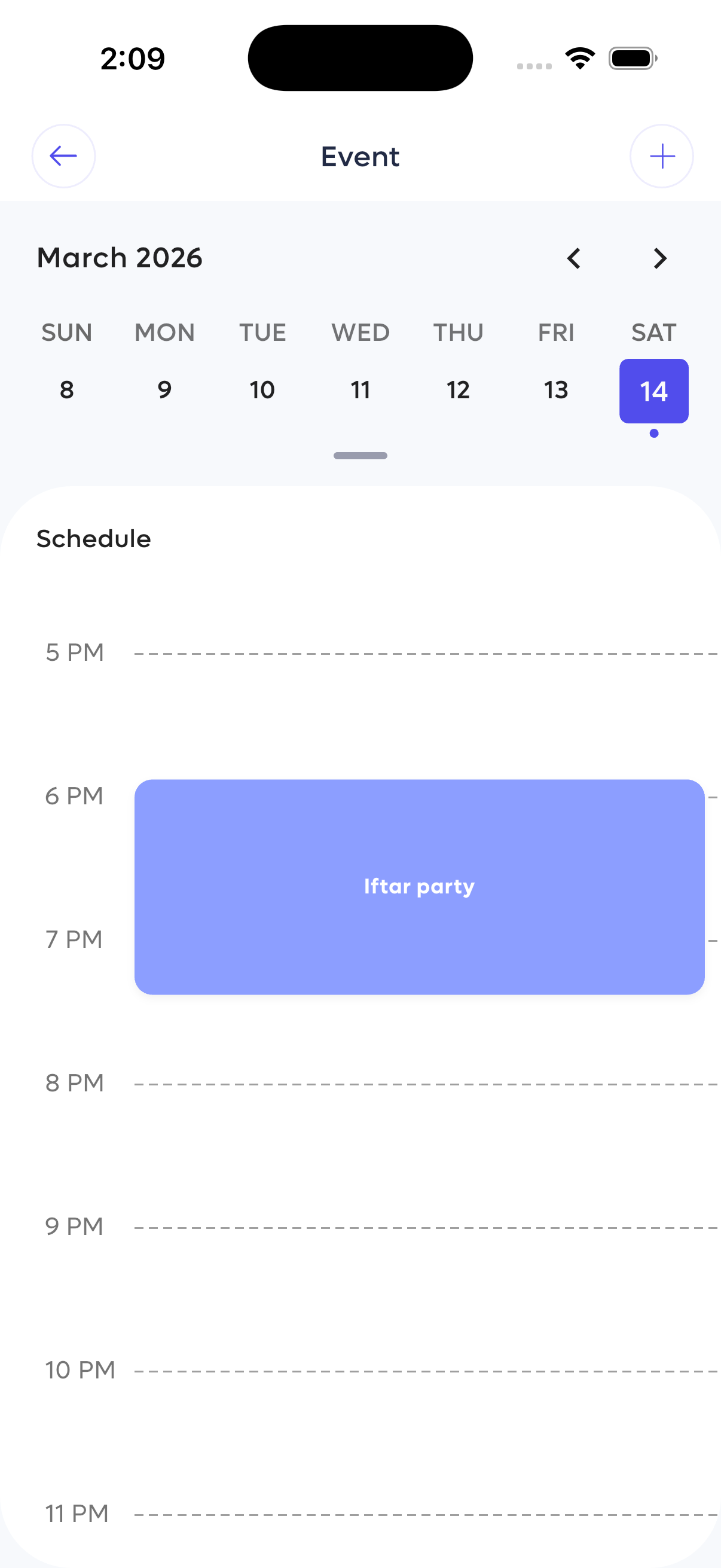
Event schedule view.
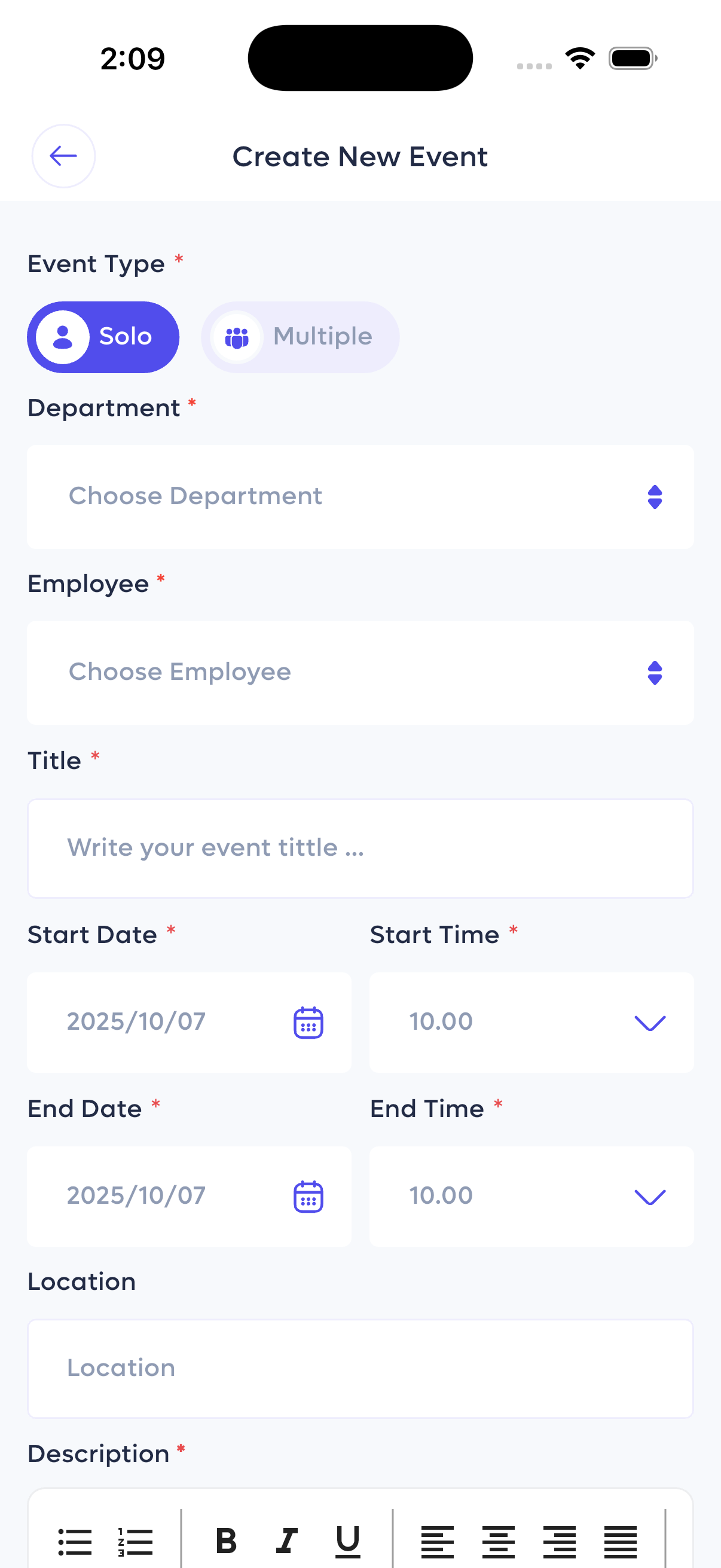
Create a new company event.
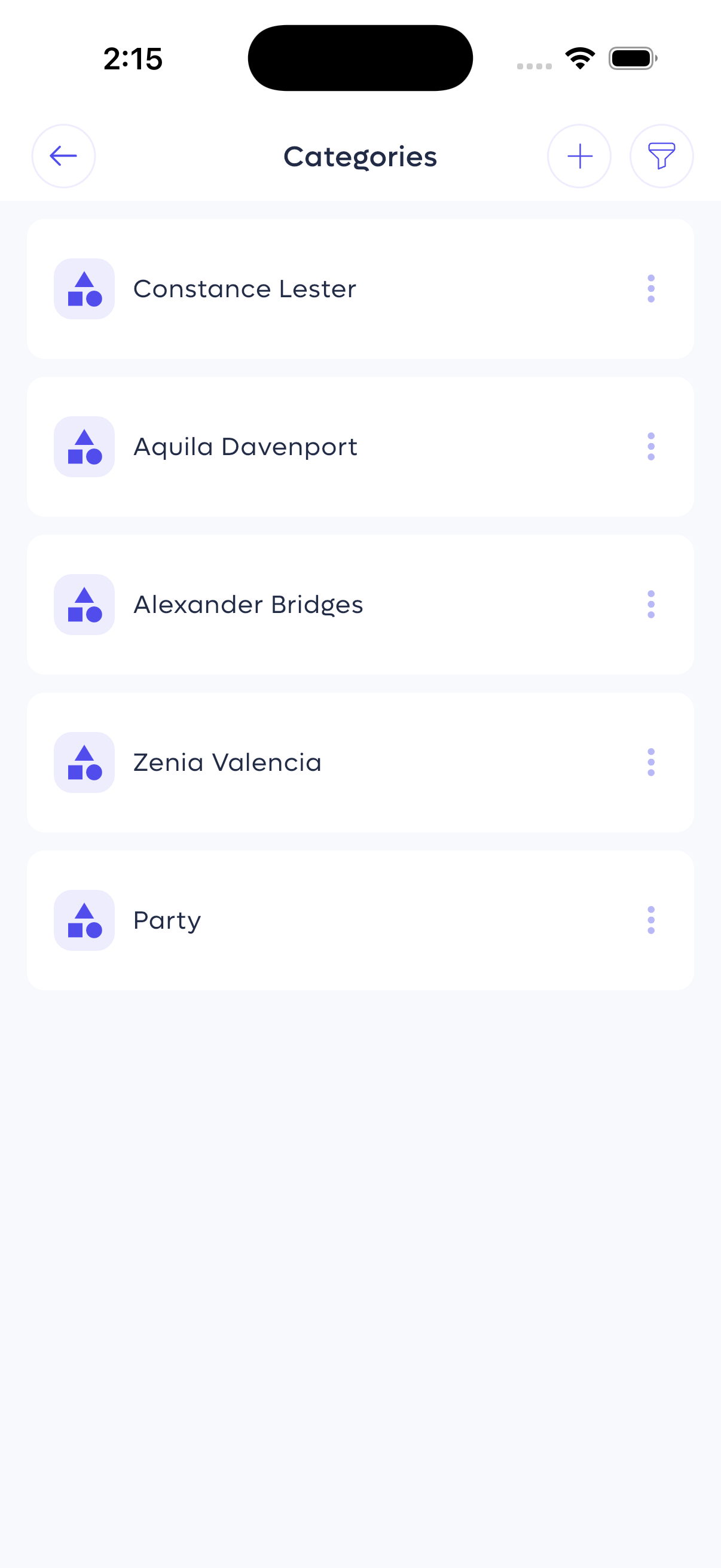
List of categories.
Attendance & Leave Management
Track employee attendance, monitor leave requests, and manage time-off efficiently.
Leave Overview
Monitor and approve leave requests:
- Request List: View pending leave requests with employee name, leave type (e.g., Sick Leave), and duration (Total Hours or Total Days).
- Status Indicators: Clearly see pending, approved, or rejected requests.
Attendance List
Review daily attendance records:
- Employee Record: See employee name, designation, and work mode (e.g., Remote).
- Time Tracking: View In Time, Out Time, total hours worked, and any overtime.
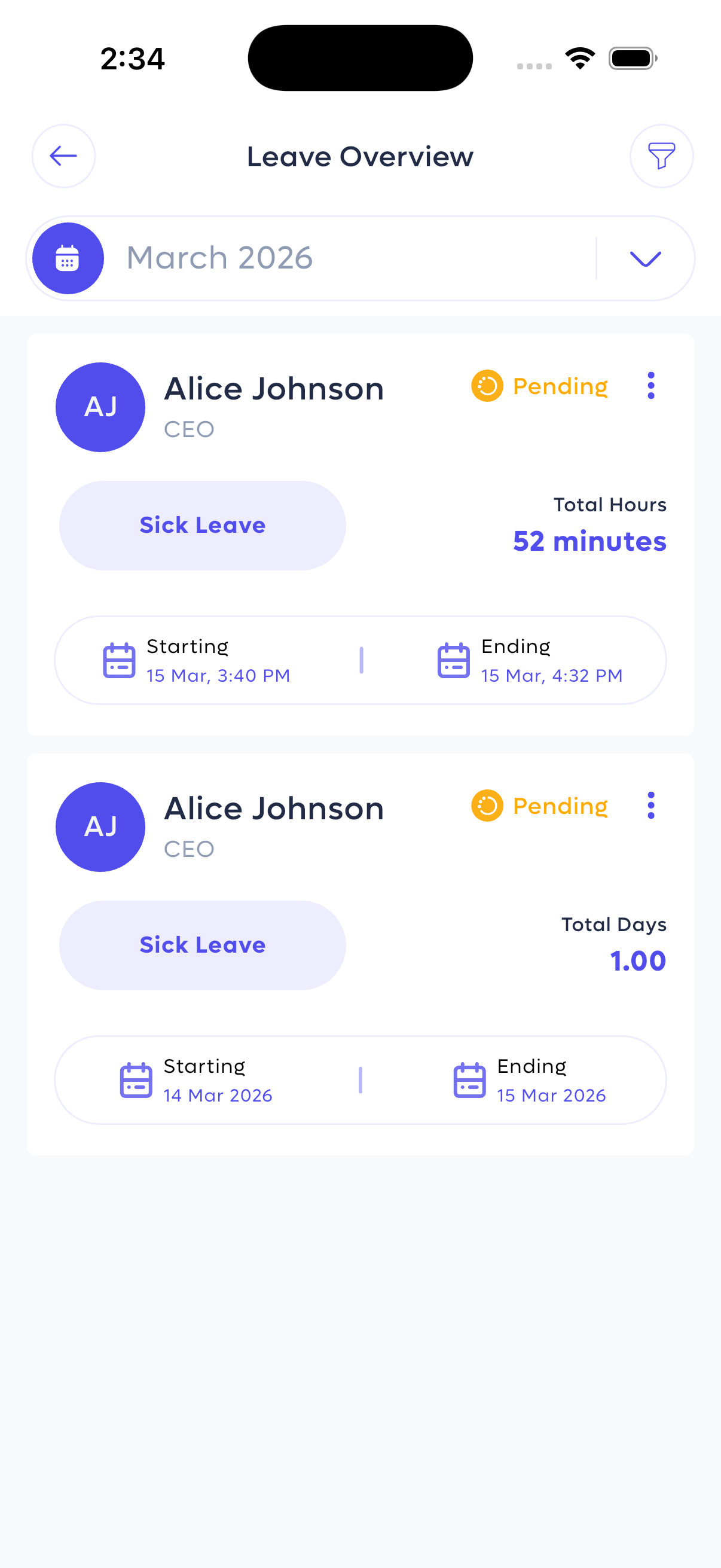
Overview of pending leave requests.
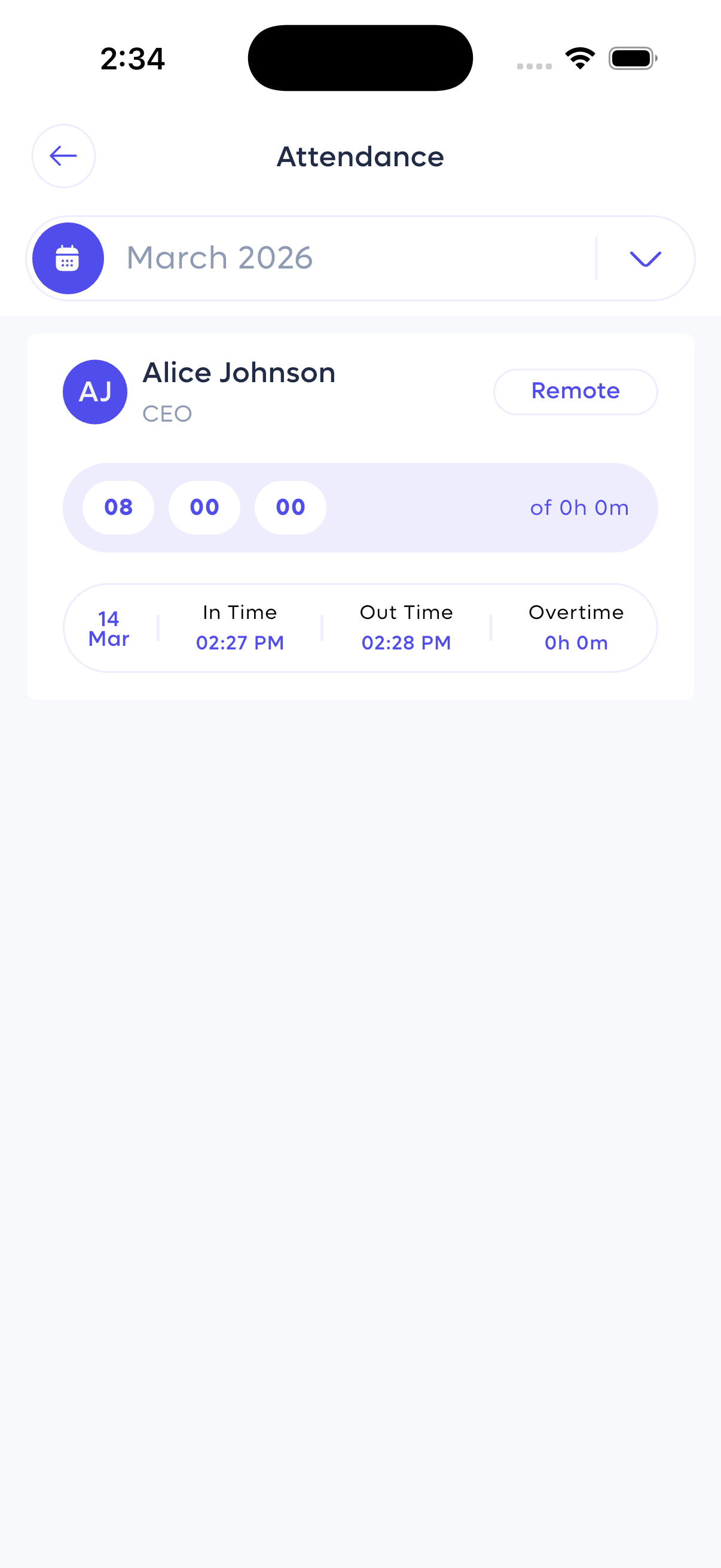
Daily attendance records with in/out times.
User Profile
View and manage personal and official information for any employee.
Profile Information
A comprehensive view of an employee's profile, divided into sections:
- Personal: Name, role, contact information (phone, email), and address.
- General Information: Joining date, blood group, religion, and work shift.
- Official Information: Employee code, access role, department, supervisor, designation, and service length.
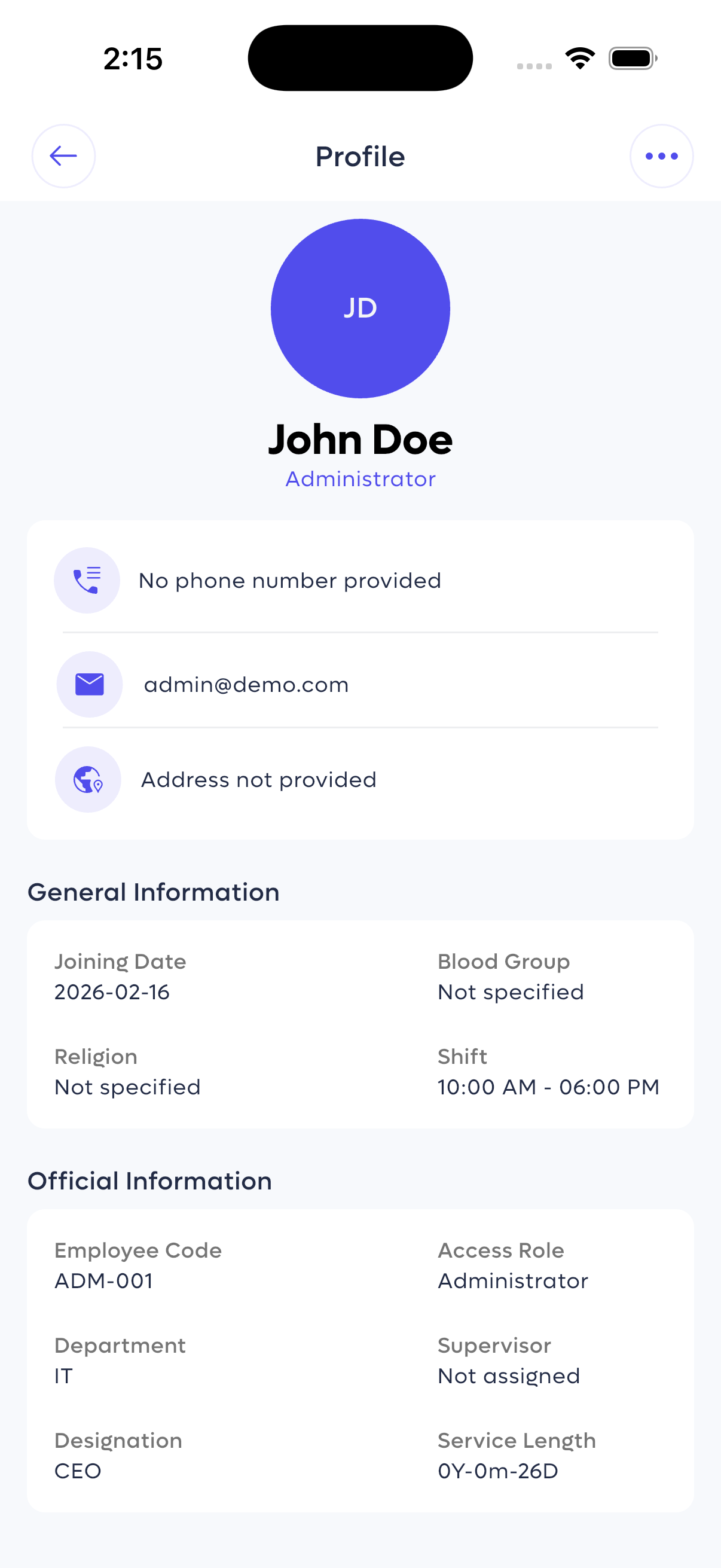
Detailed employee profile with personal and official info.
HR Management Best Practices
- Keep employee profiles up-to-date with current contact and role information.
- Use department and user management features to ensure proper access control.
- Regularly review attendance and leave records for payroll accuracy.
- Plan and communicate holidays and events well in advance.
You now have a complete understanding of the WorkZen HR mobile app features. Start managing your workforce more efficiently today!
- Log in with your credentials
- Add your employees
- Manage attendance, leave, event , holidays and payroll
- Check out the Android Installation Guide
- Review the iOS Installation Guide
- Contact our support team for assistance to email :
[email protected]